Posts Tagged ‘ Real Estate Virtual Tours ’


Logo identification is one of the strongest marketing techniques you can use, it identifies your brand and says more in one image than you can convey in an essay.  Many REALTORS® leave out their own logo when developing marketing materials. They make sure to put in the REALTOR® logo, agency logo, and other logos but leave out their own.  This is an excellent opportunity to associate yourself with these well known and respected companies, take advantage of it and build your own branding.

  • Share/Bookmark
Tags: , , , , , ,

Custom Virtual Tour Flyers

April 17, 2010 | Posted by Adam Small | No Comments

Digital Home Info announces another enhancement to it’s Real Estate Marketing system. All of our customers now have the ability to upload a custom flyer for each listing.

We have added an “Add Custom Virtual Tour Flyer” section in the bottom left column of the Listing Editor. Simply choose the file you want to upload and press the “Save Flyer” button. You can change or remove the custom flyer at anytime.

If you choose not to upload a custom flyer we will still provide the default auto-generated pdf with every listing.

Let us know what you think!

  • Share/Bookmark
Tags: , , , ,

Unbranded Virtual Tours

April 16, 2010 | Posted by Adam Small | No Comments

Many of our customers know that we are constantly releasing improvements to our Digital Home Info Real Estate Marketing system. Today we are releasing our latest enhancement to the service, Unbranded Virtual Tours. Every listing now has an unbranded virtual tour link that can be found in the Digital Home Info dashboard. The link is under the Social Media sharing icons in the Active Listings section.

This link can be clicked on to view your unbranded virtual tour and copied to other systems requiring unbranded virtual tour links.

Check it out and let us know what you think. We are always looking for great feedback and ways to improve our product.

  • Share/Bookmark
Tags: , , , , , , ,

What is Digital Home Info?

March 26, 2010 | Posted by Adam Small | 1 Comment

Since we launched our Referral Program earlier this month, we have had a lot of agents ask us for a quick explanation of what Digital Home Info is.  We tried to put it in writing but we felt that a video just says it better.  So, below is a video explaining the Text Message / Mobile Marketing, Internet and Social Media aspects of the Digital Home Info Real Estate Marketing system.

As always, if you have any questions please feel free to contact us.

  • Share/Bookmark
Tags: , ,

Real Estate Virtual Tour Photo Order

March 23, 2010 | Posted by Adam Small | No Comments

Based on feedback from some of our customers we have changed the initial ordering of uploaded photos. All photos are now uploaded with a default position of 1 instead of 0. This means that you only have to change the order of one photo to get the front of the home to be first in the virtual tours and syndication. Simply change your picture you want to be first from 1 to 0 and the rest of the photos will follow in random order. Want to set the exact order of all of your photos? Number them (beginning with 0) in the order you would like them to be seen. This change will not impact any photos already uploaded.

  • Share/Bookmark
Tags: , , , , ,

This video walks you through the basic steps of setting up a new listing in the Digital Home Info Real Estate Marketing system.

If you don’t see the video here you can view on YouTube.com at Digital Home Info How To Set up a New Listing

Step by step guide to setting up a new listing in the Digital Home Info Real Estate Marketing System.

  1. Make sure that you are logged in to the Digital Home Info Portal and that you are on the “Dashboard” tab.
  2. Under the Add New Listing section of the Dashboard select the desired property code from the dropdown box.  If the desired code is not in the dropdown box that means that it is assigned to an active property and you must deactivate the active code by clicking on the “Deactivate” link.  Once this is done the desired code should be available in the dropdown box.
  3. Press the “Submit” button.
  4. This brings you to a property information form.  At this point we need to fill in the relevant information on the property.  The more fields you fill in the better. You can copy and paste text into the text boxes.
  5. Once you have filled in all of the desired fields press the “Save Listing and on to Step 2″ button.
  6. This brings us to the upload pictures screen.  If you don’t have any photos of the property just yet you can click on the “Skip this Step” link at the bottom right of the form.  Otherwise click on the browse button to select photos. Multiple photos may be selected at one time.  Although there is no limit to the number of photos you may upload you can upload no more than 15 megabytes of photos at once.
  7. Once you photos are selected press the “Save Files” button at the bottom left of the form.
  8. The files will upload and once all the files are uploaded the screen will move to the “This listing has been assigned page”  At this point the text message, toll free and virtual tour are all completely set up.  You can visit the virtual tour, text in the property code or call the toll free number and get the appropriate responses and notifications.
  9. If you desire you can actually edit the advanced features of the listing by clicking on the “Edit this Listing” link.  Check back on the blog and in the Resources tab for tutorials on the individual features.

If you have any questions please feel free to contact support at digitalhomeinfo.com

  • Share/Bookmark
Tags: , , , , , ,

Text Messaging and Mobile Marketing Tips for REALTORS

February 6, 2010 | Posted by Adam Small | No Comments

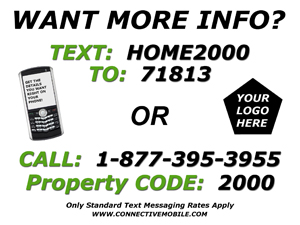
Real Estate Mobile Marketing Yard SignThis week we thought it would be a good idea to post some tips for our realtors that we think might help them maximize the Real Estate Mobile Marketing tools at their disposal.

Is it really just as easy as placing a sign in the yard? The answer to that is yes and no. Placing a sign in the yard will develop leads and those leads will turn into customers, but in order to get the most out of your mobile marketing tools you should first exercise the full options of your mobile tools and then integrate the mobile tools into your overall marketing strategy.

The first part of this is utilizing the full options of your mobile tools. What does this mean? Well for the package that Digital Home Info offers this means using the Toll Free Call Capture, Email (adding attachments, pictures, MLS sheets, etc… to the email), Contact, More Information and Mobile Tour features that come with every listing.

Once you have set up the options you want to use, it is time to integrate the messaging tools into your overall marketing plan. This means setting up the Facebook, Twitter, YouTube and Syndication features so that we can push your listings out to your social media networks and multiple real estate related sites on the Internet.  It also means including the property code and Virtual Tour links in your other advertising.

Here are just a few things that some of our clients attribute their success with using our service:

1) Include the property code in your newspaper, magazine and online listing ads. A great way to do this is to modify the picture of the property to include a small banner across the bottom with the texting instructions.  You will enhance your ability to deliver information to a buyer and your ability to capture lead information for follow up.

2) Remove the paper flyers from the property and place only the Text Messaging and Toll Free signs in the yard. This will encourage buyers to seek information through this service increasing your lead captures and driving additional traffic to your Virtual Tours.

3) Promote the Text, Toll Free and Virtual Tour service as a part of your marketing strategy to prospective sellers to let them know that you are up to date with the latest technology and using it to sell their home.

4) Include links to your Virtual Tour, web site, your email address and contact information in the Text Messages and Toll Free message. This will drive traffic to you through your site or direct contact.

5) Use the Text Messaging , Toll Free and Virtual Tour service on every property! The more visible your service is, the greater the usage will be.

Thanks to all of our realtors who have shared their success stories.  We look forward to hearing more.  How have you used mobile applications for real estate?

  • Share/Bookmark
Tags: , , , , , , , , , , , , , , , , ,

Welcome to our New Site!

December 11, 2009 | Posted by Adam Small | No Comments

service_wheel

We’ve asked our current customers what new features they’d like to see as a part of our service. This is what they have come up with. What do you think? What else are REALTORS looking for in a digital marketing service?

  • Share/Bookmark
Tags: , , , , , ,