Posts Tagged ‘ Real Estate Mobile Marketing ’


The Best Real Estate Text Message Marketing System

July 27, 2010 | Posted by Adam Small | No Comments

Real Estate MarketingAbout 5 years ago we were deep into research about the commercial use of text messaging.  At this time there weren’t many companies that were providing commercial text messaging services.  We actually managed to find about 5 in the country at the time, none of them had a product specifically designed for the real estate industry.  So we set out to create the best real estate text messaging system possible.  We wanted to create an easy to use lead generating system that REALTORS would love.

Along the way we learned a number of things abut what REALTORS want and need and how to generate leads for REALTORS.  As it turns out we didn’t create the best real estate text messaging system possible.  We ended up creating what we consider to be the best real estate digital marketing system available on the market.

Why is Digital Home Info the best Real Estate Marketing system?

Customer Service- Yes, Customer Service is the number one reason we are the best.  Our customers are the most important part of our business.  Without them we wouldn’t have a business.  So we listen to them when they have an issue or request.  Many REALTORS work everyday of the week, so do we.  When our customers have questions they can pick up the phone and get a live person.  When you send in an email we guarantee you’ll get a response and the issue/question will be addressed. This level of customer service has enabled us to grow and retain our customer base.

Technology- Second only to Customer Service is our technology.  We have yet to find a competitor that offers the same combination of technology that Digital Home Info does.  Some of them have some of the components but there isn’t one that does everything we do:

Value- This is the final piece of the puzzle that makes us the best.  While our service and technology are enterprise class our pricing is not. We know that many of our competitors charge double or triple what we do and all they offer is just one of the services included in Digital Home Info.  Our philosophy is that by providing a great service at a reasonable price everyone wins. This is value.

Want to learn more?  Try giving us a call, 877.250.5277

  • Share/Bookmark
Tags: , , , , ,

Mobile Marketing for REALTORS

June 10, 2010 | Posted by Adam Small | No Comments

Does mobile marketing generate leads for Real Estate? Yes!!! Real Estate is a business founded on the concept of marketing property to prospective buyers and representation for sellers. It’s all about marketing and reaching prospective buyers. One of the key success factors is providing information to buyers in a quick and timely manner. Consumers are accustomed to being able to get the information they want fast. Time is of essence for Realtors. This is where mobile marketing comes in.

Mobile marketing has the ability to deliver information to buyers in a quick, easy, and timely fashion helping Realtors be responsive to requests for information automatically. Over the last few years our society has become more and more mobile oriented. There are approximately 260 million cell phone plans in use in the USA, out of a population of just over 300 million. That covers about 86% of the population. With such a deep market penetration and the growing capabilities of these devices, mobile marketing becomes a natural space for Realtors to reach new buyers.

The question is what mobile technology should I use? There are many technologies for use in mobile marketing and in order to use it effectively you have to be able to reach buyers in the way that they are most willing to communicate. For some buyers this is a phone call directly to the agent, others prefer to get information before talking to agents. This is why a program that offers a well rounded mobile technology package is required to reach the majority of buyers.

What is a well rounded mobile technology package? Based on what we’ve seen and heard, we think a well rounded mobile marketing package incorporates voice, email, text messaging and the web. By using all of these technologies Real Estate Agents can enable prospective buyers to retrieve information instantly via text, listen to a recording about the home property, contact the realtor directly, and get in-depth information via email or web site. At the same time the agents are enabling buyers to learn more about their properties, the mobile marketing package should also be capturing lead data for the agent. While we are seeing many home buyers take the initiative to reach out to the Realtor, we also provide the agent the information about when a request was made, the phone number the request was made from and the property that was inquired about.

Is Mobile Marketing in your marketing plan?  Has it been effective for you?

  • Share/Bookmark
Tags: , , ,

Real Estate Mobile Marketing

May 27, 2010 | Posted by Adam Small | 1 Comment

Mobile Marketing is growing fast in the real estate industry and there are a lot of players out there offering different components of mobile marketing to their customers.  Below is a short list of those offerings:

  • Real Estate Text Messaging
  • Mobile Optimized web sites (Corporate)
  • Mobile Optimized Virtual Tours
  • Mobile Applications (for the iPhone, Blackberry, Droid, Smartphone)
  • Toll Free Call Capture

These are just a few of the mobile offerings in the real estate industry.  Which of these are important to you?  What do you use?  What would you like to see offered?  We would like to know.

  • Share/Bookmark
Tags: , , , ,

Logo identification is one of the strongest marketing techniques you can use, it identifies your brand and says more in one image than you can convey in an essay.  Many REALTORS® leave out their own logo when developing marketing materials. They make sure to put in the REALTOR® logo, agency logo, and other logos but leave out their own.  This is an excellent opportunity to associate yourself with these well known and respected companies, take advantage of it and build your own branding.

  • Share/Bookmark
Tags: , , , , , ,

Real Estate Marketing Tip Track Your Results!

April 20, 2010 | Posted by Adam Small | No Comments

Result tracking seems like an obvious thing.  Everyone should know to do it but many don’t.  I meet a lot of REALTORS and many of them can’t say how many leads they are getting from Virtual Tours, Print ads, or other efforts.  They are just spending to market and hoping that something brings in leads.

Depending on the medium there are a number of ways to track lead sources.

  • Google Analytics (Web Site)
  • Email Open/Click Analytics (Email)
  • Some marketing systems (like Digital Home Info) have built in analytics

By tracking where your leads are coming from you will be able to identify what is working and what isn’t.  You’ll also be able to determine where to increase your spending and where to cut back.

  • Share/Bookmark
Tags: , , ,

What is Digital Home Info?

March 26, 2010 | Posted by Adam Small | 1 Comment

Since we launched our Referral Program earlier this month, we have had a lot of agents ask us for a quick explanation of what Digital Home Info is.  We tried to put it in writing but we felt that a video just says it better.  So, below is a video explaining the Text Message / Mobile Marketing, Internet and Social Media aspects of the Digital Home Info Real Estate Marketing system.

As always, if you have any questions please feel free to contact us.

  • Share/Bookmark
Tags: , ,

Real Estate Mobile Virtual Tour

March 20, 2010 | Posted by Adam Small | No Comments

We have recently changed the mobile virtual tour so that all home photos download at once when the link is accessed. This eliminates the potential buyer having to hit next to see additional photos.

The image to the right is an example of what our Real Estate Mobile Virtual Tour looks like.

To see a demo of what your listing’s mobile virtual tours looks like goto http://www.digitalhomeinfo.com /[propertycode] from your mobile phone or visit http://www.digitalhomeinfo.com /mdemo.php?id=[propertycode] from your pc.

(Replace [propertycode] with the numeric portion of your property code.)

  • Share/Bookmark
Tags: , , , ,

This video walks you through the basic steps of setting up a new listing in the Digital Home Info Real Estate Marketing system.

If you don’t see the video here you can view on YouTube.com at Digital Home Info How To Set up a New Listing

Step by step guide to setting up a new listing in the Digital Home Info Real Estate Marketing System.

  1. Make sure that you are logged in to the Digital Home Info Portal and that you are on the “Dashboard” tab.
  2. Under the Add New Listing section of the Dashboard select the desired property code from the dropdown box.  If the desired code is not in the dropdown box that means that it is assigned to an active property and you must deactivate the active code by clicking on the “Deactivate” link.  Once this is done the desired code should be available in the dropdown box.
  3. Press the “Submit” button.
  4. This brings you to a property information form.  At this point we need to fill in the relevant information on the property.  The more fields you fill in the better. You can copy and paste text into the text boxes.
  5. Once you have filled in all of the desired fields press the “Save Listing and on to Step 2″ button.
  6. This brings us to the upload pictures screen.  If you don’t have any photos of the property just yet you can click on the “Skip this Step” link at the bottom right of the form.  Otherwise click on the browse button to select photos. Multiple photos may be selected at one time.  Although there is no limit to the number of photos you may upload you can upload no more than 15 megabytes of photos at once.
  7. Once you photos are selected press the “Save Files” button at the bottom left of the form.
  8. The files will upload and once all the files are uploaded the screen will move to the “This listing has been assigned page”  At this point the text message, toll free and virtual tour are all completely set up.  You can visit the virtual tour, text in the property code or call the toll free number and get the appropriate responses and notifications.
  9. If you desire you can actually edit the advanced features of the listing by clicking on the “Edit this Listing” link.  Check back on the blog and in the Resources tab for tutorials on the individual features.

If you have any questions please feel free to contact support at digitalhomeinfo.com

  • Share/Bookmark
Tags: , , , , , ,

Text Messaging and Mobile Marketing Tips for REALTORS

February 6, 2010 | Posted by Adam Small | No Comments

Real Estate Mobile Marketing Yard SignThis week we thought it would be a good idea to post some tips for our realtors that we think might help them maximize the Real Estate Mobile Marketing tools at their disposal.

Is it really just as easy as placing a sign in the yard? The answer to that is yes and no. Placing a sign in the yard will develop leads and those leads will turn into customers, but in order to get the most out of your mobile marketing tools you should first exercise the full options of your mobile tools and then integrate the mobile tools into your overall marketing strategy.

The first part of this is utilizing the full options of your mobile tools. What does this mean? Well for the package that Digital Home Info offers this means using the Toll Free Call Capture, Email (adding attachments, pictures, MLS sheets, etc… to the email), Contact, More Information and Mobile Tour features that come with every listing.

Once you have set up the options you want to use, it is time to integrate the messaging tools into your overall marketing plan. This means setting up the Facebook, Twitter, YouTube and Syndication features so that we can push your listings out to your social media networks and multiple real estate related sites on the Internet.  It also means including the property code and Virtual Tour links in your other advertising.

Here are just a few things that some of our clients attribute their success with using our service:

1) Include the property code in your newspaper, magazine and online listing ads. A great way to do this is to modify the picture of the property to include a small banner across the bottom with the texting instructions.  You will enhance your ability to deliver information to a buyer and your ability to capture lead information for follow up.

2) Remove the paper flyers from the property and place only the Text Messaging and Toll Free signs in the yard. This will encourage buyers to seek information through this service increasing your lead captures and driving additional traffic to your Virtual Tours.

3) Promote the Text, Toll Free and Virtual Tour service as a part of your marketing strategy to prospective sellers to let them know that you are up to date with the latest technology and using it to sell their home.

4) Include links to your Virtual Tour, web site, your email address and contact information in the Text Messages and Toll Free message. This will drive traffic to you through your site or direct contact.

5) Use the Text Messaging , Toll Free and Virtual Tour service on every property! The more visible your service is, the greater the usage will be.

Thanks to all of our realtors who have shared their success stories.  We look forward to hearing more.  How have you used mobile applications for real estate?

  • Share/Bookmark
Tags: , , , , , , , , , , , , , , , , ,

What number do I text my property code to?

January 26, 2010 | Posted by Adam Small | No Comments

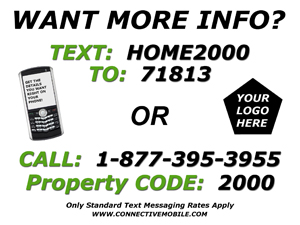
The Short Code is 71813.  To get the property information via text message put 71813 in the “TO” (phone number) field and the property code (HOME2000) in the message body.  For example:

To: 71813

Message: HOME2000

  • Share/Bookmark
Tags: , , ,